> ## Documentation Index
> Fetch the complete documentation index at: https://docs.sumbios.ai/llms.txt
> Use this file to discover all available pages before exploring further.
# Wiki
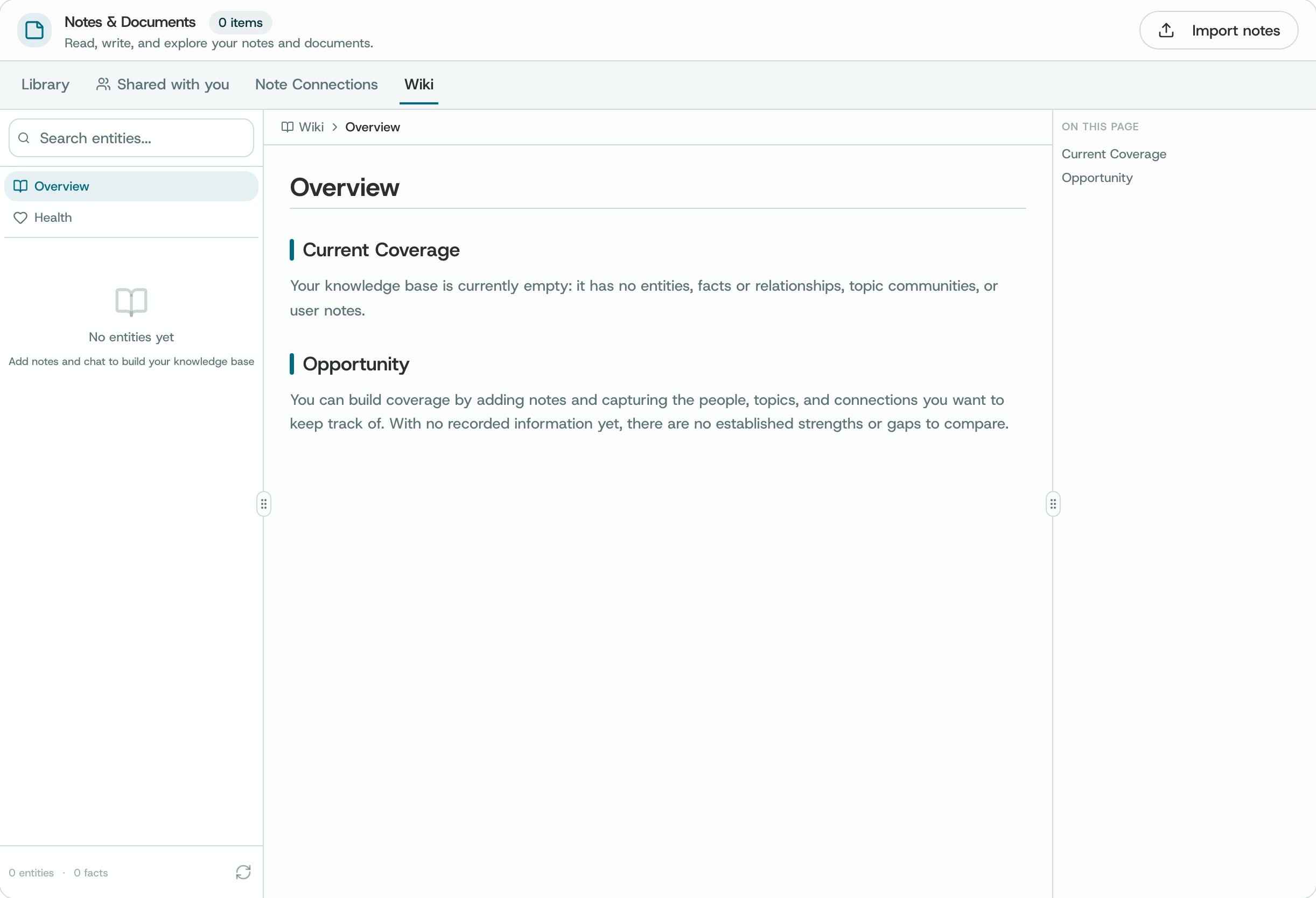
> Browse the knowledge and documents available to you in a page-by-page view.
Search for a topic, open a result, and check the original information when you want to learn more.
## Where to find it
Open Notes → Wiki when the Wiki tab is enabled.
 ## What you can do
* Browse the pages or search for a topic you are interested in.
* Open a result to read the information behind it.
* Use the actions offered on a page when you want to work with its content.
## How to use it
* Search with a distinctive topic or term.
* Check the underlying source before reusing a statement.
* Return to Notes for personal note editing.
**Availability and privacy.** You can only browse material available to your account that has been added to O’s knowledge collection. Some documents may be out of date or read-only, so check before using or changing them.
This documentation is built and hosted on [Mintlify](https://mintlify.com), a developer documentation platform.
## What you can do
* Browse the pages or search for a topic you are interested in.
* Open a result to read the information behind it.
* Use the actions offered on a page when you want to work with its content.
## How to use it
* Search with a distinctive topic or term.
* Check the underlying source before reusing a statement.
* Return to Notes for personal note editing.
**Availability and privacy.** You can only browse material available to your account that has been added to O’s knowledge collection. Some documents may be out of date or read-only, so check before using or changing them.
This documentation is built and hosted on [Mintlify](https://mintlify.com), a developer documentation platform.