> ## Documentation Index
> Fetch the complete documentation index at: https://docs.sumbios.ai/llms.txt
> Use this file to discover all available pages before exploring further.
# Network Health
> See where you rely on a few people to reach others, where O needs to know more, and which relationship to strengthen next.
export const Annotated = ({src, alt, caption, markers = [], size}) =>
{markers.map(m =>
{m.n}
)}
{caption ? {caption} : null}
;
Network Health gives you four separate measures of your network, plus one suggestion for where to focus. It's a place to start thinking, not a grade for you or a score for anyone.
## When you would use it
Use it after a large import, or before a week of meetings. It helps you see whether you reach too much of your network through just one or two people, whether O knows enough about your connections to help you, and which relationship is worth an hour this week.
## Where to find it
Select **Insights** in the sidebar, then the **Network Health** tab.
| # | Element | What it does |
| - | - | - |
| 1 | **Relationship goals** | How many direct connections O counts, and whether you have set a personal goal. **Edit relationship goals** opens Settings → **Goals**. |
| 2 | **Updated** and **Refresh** | When O last worked out the numbers on this page. **Refresh** works them out again, for example after an import. |
| 3 | **Relationship to strengthen** | One relationship that a large share of your measured paths run through (a path is a way to reach someone through people you know). It shows how many measured paths it connects, and across how many industry groups. |
| 4 | **Measured access** | What the suggestion is based on: the paths O can measure in the information you have connected. |
| 5 | **Strengthen this relationship** and **Find another path** | **Strengthen this relationship** opens [Field Mode](/getting-started/field-mode) so you can add what you know about that person. **Find another path** opens [Connectors](/insights/connectors) for that person, so you can look for a second route. |
| 6 | **Health by factor** | The four measures at a glance. Each one stands on its own. O doesn't average them into one grade. |
## Health by factor
Further down, each factor has its own card. Open **How this is calculated** (on Connection Paths it's called **What is included**) to see how the number is worked out and what information it uses.
| # | Element | What it does |
| - | - | - |
| 1 | **Network Reach** | Your progress towards a personal connection goal. |
| 2 | **Context Coverage** | How much useful background O has on your connections for introductions, reminders and recommendations. |
| 3 | **Connection Paths** | The paths O can see beyond your direct network. A list of what O can see, not a score. |
| 4 | **Network Breadth** | How varied your network is across industries, countries and seniority levels. |
| 5 | Status | A word that says where the factor stands, such as **Strong**, **Partial view** or **Goal required**. |
| 6 | **How this is calculated** | How the number is worked out and what information it uses. Close it with **×**. |
| 7 | Action | The next step for that factor: **Set a personal target**, **Review recent connections**, **Reveal more paths** or **Review network strengths**. |
### What each factor measures
| Factor | How O works it out | What it uses |
| - | - | - |
| **Network Reach** | Compares your direct connections with your personal target. Until you set a target, the card says **Goal required**. | Your confirmed direct connections, and the network sizes of people in similar roles |
| **Context Coverage** | For each direct connection, checks for eight useful details about their profile and your relationship. It then shows the percentage of those details O has. | Connected profiles and your linked notes |
| **Connection Paths** | Lists your active **O friends**, **Observed mutual links** (people you and a contact both know, as O has seen them), the **2nd-degree people** and **3rd-degree people** O has stored (friends of friends, and one step further out), and **Inferred hidden bridges** (links O has worked out rather than seen). These groups may overlap, and O never combines them into a percentage. | Your O friendships, the network you have selected, and signs of hidden bridges |
| **Network Breadth** | Gives **Industry breadth**, **Country breadth** and **Seniority breadth** a higher score the more widely your connections are spread, then averages the three. **Known industries** counts the industries O has seen. | Each person's current industry, country and seniority |
**Yours vs ICP peer avg.** on Network Reach compares the size of your network with the average for people in roles like yours. It appears next to the score and never changes it.
**People with context notes** on Context Coverage counts the people you have written notes about. The eight details also include profile information, so the two numbers can differ.
## Next moves and how your network is changing
| # | Element | What it does |
| - | - | - |
| 1 | **Your next best moves** | Numbered, specific steps based on the people and relationships O can measure right now. Select one to open it. |
| 2 | **How your network is changing** | New connections by month. **Dated connection coverage** shows how much of your network has a date the chart can use. |
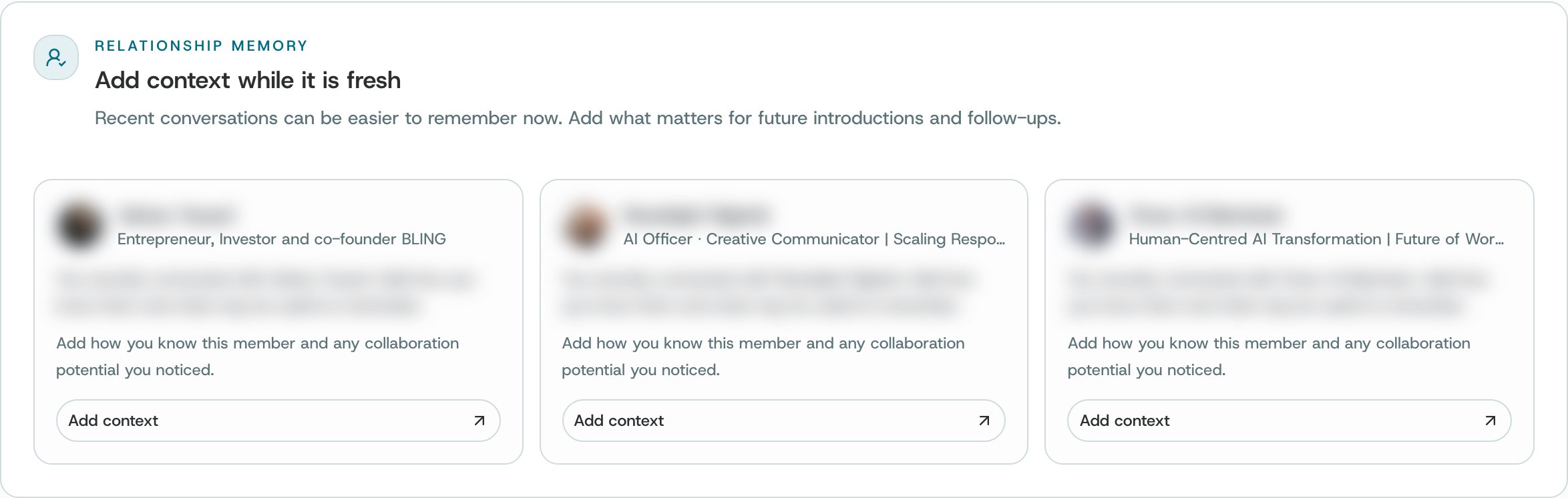
## Add context while it is fresh
O lists people you connected with recently and asks how you know them. Choose **Add context** to write it down while you still remember. It's saved as a note on that person.
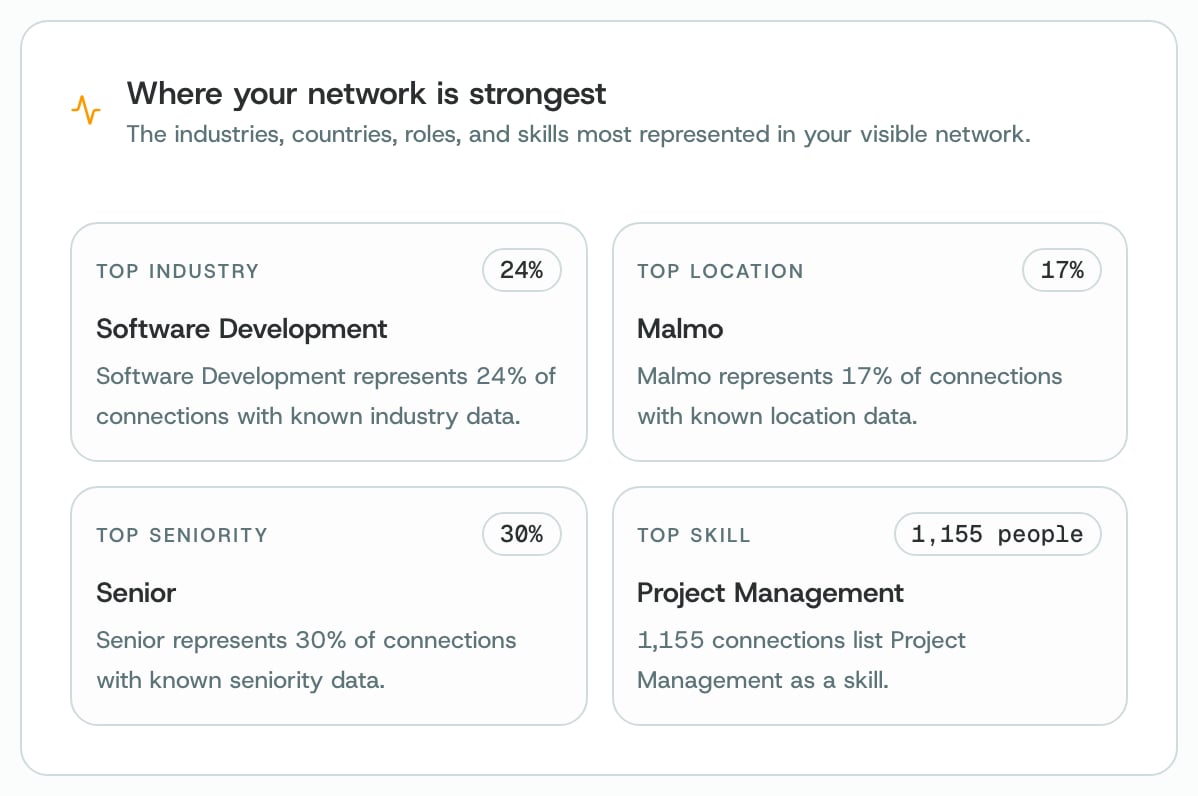
## Where your network is strongest
This section shows the industries, locations, seniority levels and skills that are most common in your network. Each tile shows the most common one, and its share of the connections where O knows that detail. Below it, **Key connectors to nurture** lists people that many of your measured paths run through. **Key connectors** opens the full list in [Connectors](/insights/connectors).
## How to
Choose **Edit relationship goals**, or **Set a personal target** on the Network Reach card. In Settings → **Goals**, enter your target. Network Reach then shows your progress towards it.
Choose **Review recent connections** on Context Coverage, or go to **Add context while it is fresh**. Choose **Add context** next to a person and write how you know them. Notes are one of the details Context Coverage checks.
On Connection Paths, choose **Reveal more paths**. If you have the O browser extension, open a LinkedIn profile and use **Warm Path**. It adds to O the connections it sees there: people you both know, and second-degree and third-degree connections.
Under **Relationship to strengthen** or **Your next best moves**, open a suggestion. You decide whether to reach out. O never contacts anyone for you.
After an import, or after you connect a new account, choose **Refresh** so the measures use the new information.
## What O does behind it
* The four measures are separate. Each score stands on its own, and O doesn't combine them into one number.
* Missing information is shown as unavailable, not counted as zero. A zero means O checked a source it could use and found none. A dash means that source wasn't available.
* Connection Paths lists what O can see. Its groups may overlap, and they are never added up into a total.
* O only measures the information you have connected or imported. You can also read how it's worked out on the page itself, under **Data coverage and methodology**.
**Good to know.** A missing result may mean there isn't enough information. It doesn't mean a relationship doesn't exist, and nothing on this page scores a person.
## Related
The people who connect separate parts of your network.
Set your relationship goals and your personal reach target.
Save what you just learned about someone.
The briefing at the top of Insights.
This documentation is built and hosted on [Mintlify](https://mintlify.com), a developer documentation platform.
 ## Where your network is strongest
This section shows the industries, locations, seniority levels and skills that are most common in your network. Each tile shows the most common one, and its share of the connections where O knows that detail. Below it, **Key connectors to nurture** lists people that many of your measured paths run through. **Key connectors** opens the full list in [Connectors](/insights/connectors).
## Where your network is strongest
This section shows the industries, locations, seniority levels and skills that are most common in your network. Each tile shows the most common one, and its share of the connections where O knows that detail. Below it, **Key connectors to nurture** lists people that many of your measured paths run through. **Key connectors** opens the full list in [Connectors](/insights/connectors).
 ## How to