> ## Documentation Index
> Fetch the complete documentation index at: https://docs.sumbios.ai/llms.txt
> Use this file to discover all available pages before exploring further.
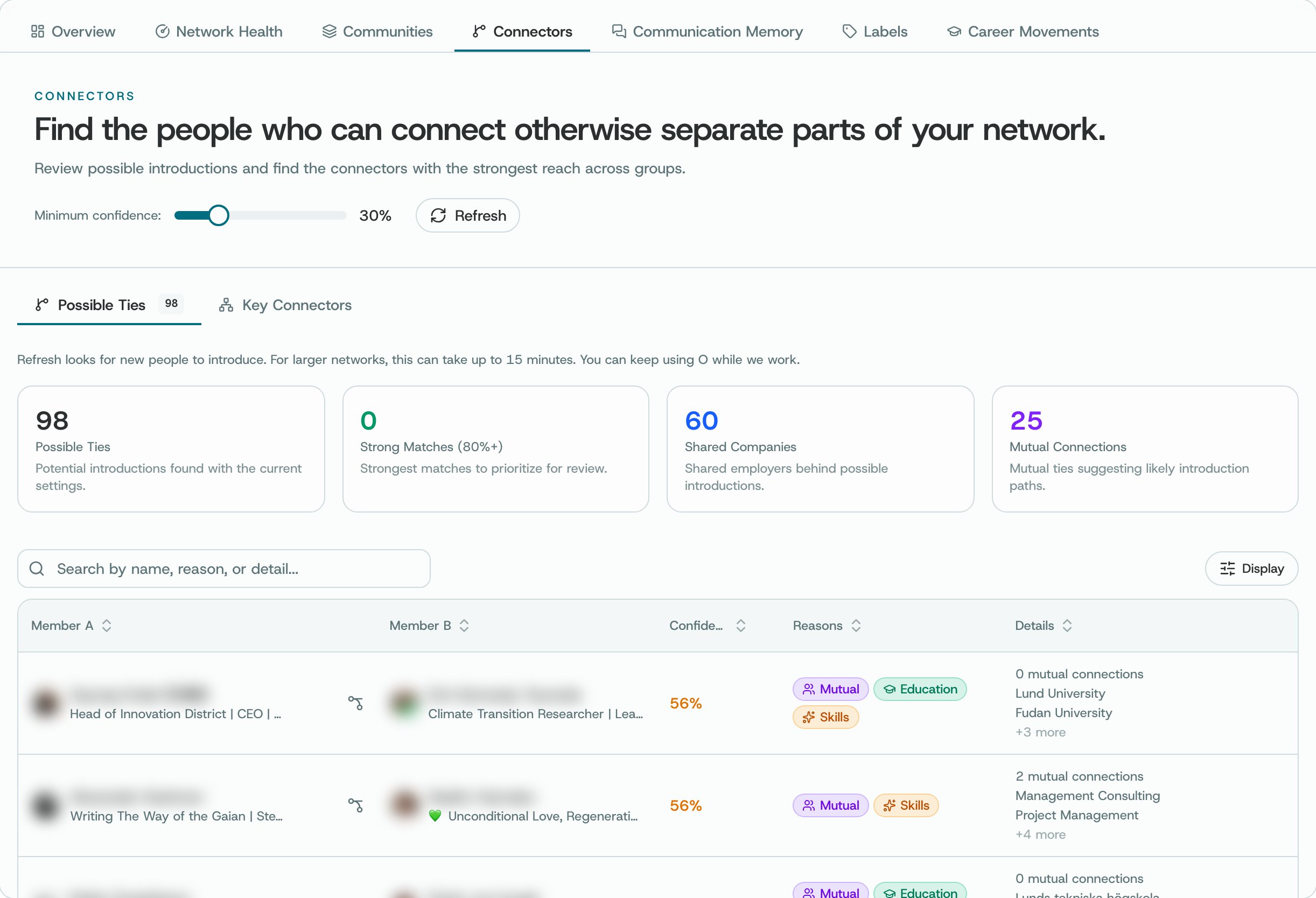
# Connectors
> Explore possible connections between people in your network.
Possible Ties shows suggestions and the reasons behind them. Key Connectors highlights members with connections across different groups. Refreshing can take a few minutes.
## Where to find it
From Insights, open Connectors or visit /intelligence/hidden-bridges.
 ## What you can do
* Try Possible Ties or Key Connectors and read why each member appears.
* Open a profile to check who the member is and what you know about them.
* Consider whether an introduction would be useful to both people, and ask their permission first.
## How to use it
* Check the profiles or Network page before relying on a suggested connection.
* If you ask someone for an introduction, explain why and keep the request specific. Give them room to decline.
* A suggested connection does not necessarily mean two people know each other. Only say that when the information confirms it.
**Availability and privacy.** O’s suggestions depend on the connections recorded in your network. They are not proof that two members know each other or have agreed to an introduction.
This documentation is built and hosted on [Mintlify](https://mintlify.com), a developer documentation platform.
## What you can do
* Try Possible Ties or Key Connectors and read why each member appears.
* Open a profile to check who the member is and what you know about them.
* Consider whether an introduction would be useful to both people, and ask their permission first.
## How to use it
* Check the profiles or Network page before relying on a suggested connection.
* If you ask someone for an introduction, explain why and keep the request specific. Give them room to decline.
* A suggested connection does not necessarily mean two people know each other. Only say that when the information confirms it.
**Availability and privacy.** O’s suggestions depend on the connections recorded in your network. They are not proof that two members know each other or have agreed to an introduction.
This documentation is built and hosted on [Mintlify](https://mintlify.com), a developer documentation platform.