> ## Documentation Index
> Fetch the complete documentation index at: https://docs.sumbios.ai/llms.txt
> Use this file to discover all available pages before exploring further.
# Search for people
> Search more widely than the people already in your network.
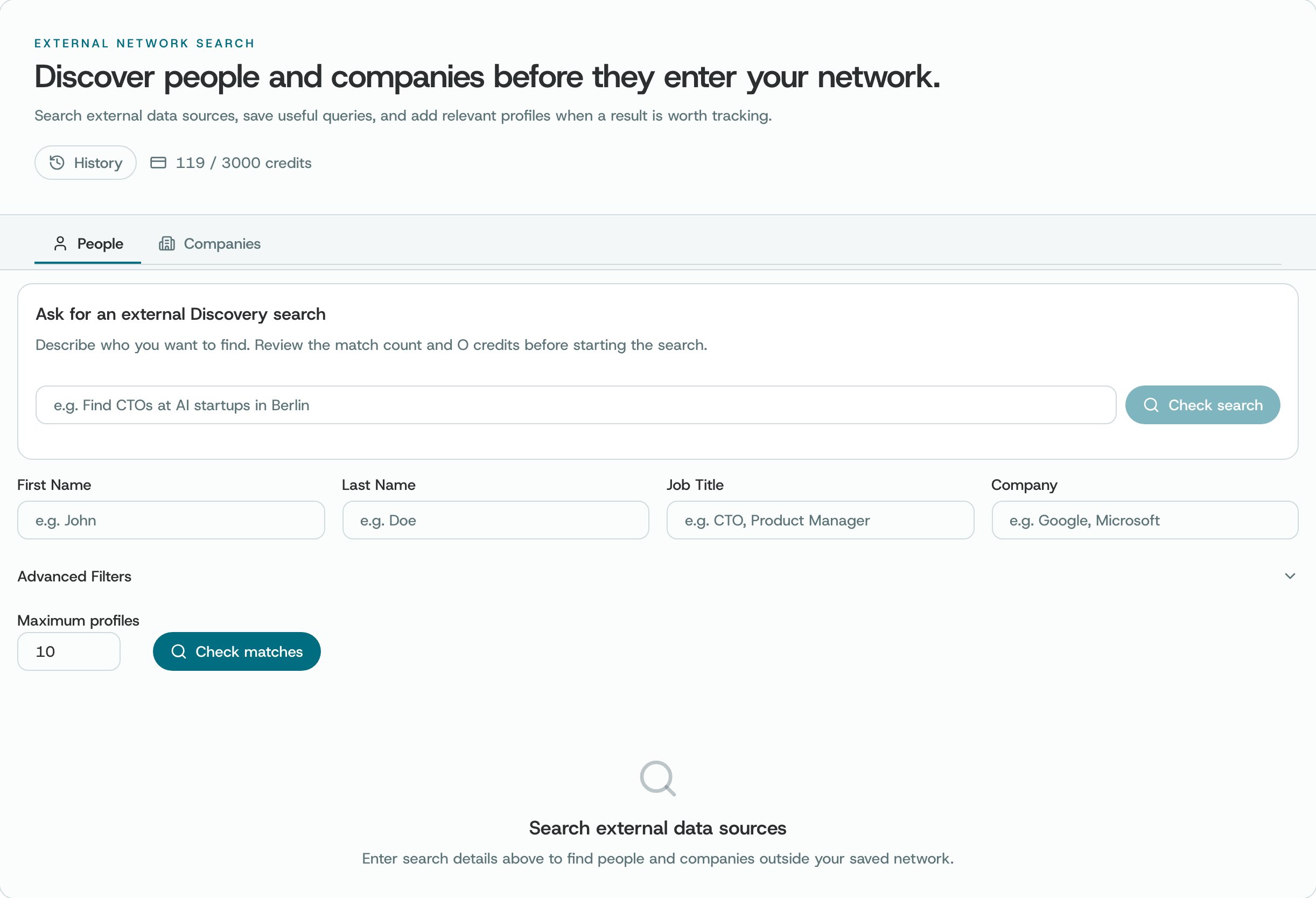
In the Person tab, search by name, role, company or location. Each result shows whatever details are available, and whether the person is already in your network.
## Where to find it
Choose Discovery, then the People tab.
 ## What you can do
* Type what you know about the person you're looking for, then search.
* Read the results. When there's a link, open the person's original profile.
* To bring someone into your network, choose Add, then check the confirmation.
* Open Search history to bring back an earlier people search or remove one.
## How to use it
* Start with a name, then add a company or location to tell similar people apart.
* Make sure you've found the right person before you add them.
* In the confirmation window, check which profile you're adding and where it will go.
**Good to know.** Discovery searches use credits. Before you start a search, O shows how many profiles match and how many credits the search will use. Which searches you can run depends on your plan and on which search services are connected. A result may be incomplete or out of date, so check the person's original profile.
This documentation is built and hosted on [Mintlify](https://mintlify.com), a developer documentation platform.
## What you can do
* Type what you know about the person you're looking for, then search.
* Read the results. When there's a link, open the person's original profile.
* To bring someone into your network, choose Add, then check the confirmation.
* Open Search history to bring back an earlier people search or remove one.
## How to use it
* Start with a name, then add a company or location to tell similar people apart.
* Make sure you've found the right person before you add them.
* In the confirmation window, check which profile you're adding and where it will go.
**Good to know.** Discovery searches use credits. Before you start a search, O shows how many profiles match and how many credits the search will use. Which searches you can run depends on your plan and on which search services are connected. A result may be incomplete or out of date, so check the person's original profile.
This documentation is built and hosted on [Mintlify](https://mintlify.com), a developer documentation platform.